| Date |
Subject |
Lesson Plan |
| 03/13/26 |
CCNA1 |
Link: NETSCOUT DDOS Cyber Threat Horizon
Link: Cyberthreat Real-Time Map
Be sure to review your Module 12 test and study those items that you missed. You will see these questions again to test your knowledge.
Link: Module 13 Reading Organizer
Start Module 13 - ICMP
Video:
What is ICMP (Internet Control Message Protocol)? (2:13)
Read: 13.0.1 Why should I take this module?
Read: 13.0.2 What will I learn in this module?
Start Module 13, Section 1 - ICMP Messages
Video: Rick Graziani: ICMP for IPv4 and IPv6 (10:03)
Read: 13.1.1 ICMPv4 and ICMPv6 Messages
Video: danscourses: ICMP Message Types (21:16)
Read: 13.1.2 Host Reachability
Read: 13.1.3 Destination or Service Unreachable
Read: 13.1.4 Time Exceeded
Video:
Computer Networking Internet Control Message Protocol (ICMP) (5:51)
Read: 13.1.5 ICMPv6 Messages
Activity: 13.1.6 Check Your Understanding - ICMP Messages
Assignment: Chapter 13 Study Guide 1-8 (20 min) |
| |
A+ |
Video: CBTNugg: #56 CompTIA A+ Mobile Devices (46:30)
Video: Professor Messer: Laptop Hardware (19:08)
Read: 7.3.1.1 Expansion Slots
Read: 7.3.1.2 Flash Memory
Read: 7.3.1.3 Smart Card Reader
Read: 7.3.1.4 SODIMM Memory
Video Demonstration: 7.3.1.5 Install SODIMM (3:51)
Activity: 7.3.1.6 Check Your Understanding - Expansion Modules
Read: 7.3.2.1 Overview of Hardware Replacement
Video Demonstration: 7.3.2.2 Keyboard Replacement (5:53)
Video Demonstration: 7.3.2.3 Screen Replacement (8:48)
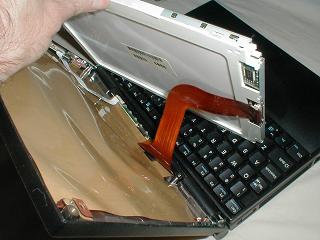
Link: Photo of screen connector on Dell laptop
Lab: 7.3.2.4 Research Laptop Screens
Info: Find replacement screen for Dell 16 Premium DA16250, 16.3", Non-Touch, 2K, 30-120Hz, 500 nits (Use OEM for Replacement #1) |
| |
IC3 |
Level 1 |
| 03/16/26 |
CCNA1 |
Binders due this week
Video: Rick Graziani: Introducing Ping and Traceroute (9:56)
Start Chapter 13, Section 2 - Ping and Traceroute Tests
Video: Network Troubleshooting with Ping and Traceroute (4:39)
Read: 13.2.1 Ping - Test Connectivity
Video: What is the Internet Control Message Protocol (ICMP)? (4:50)
Read: 13.2.2 Ping the Loopback
Read: 13.2.3 Ping the Default Gateway
Read: 13.2.4 Ping a Remote Host
Read: 13.2.5 Traceroute - Test the Path
PT: 13.2.6 Verify IPv4 and IPv6 Addressing (30 min)
Assignment: Module 13 Study Guide 9-20 (15 minutes) (end) |
| |
A+ |
Video: PowerCert: Monitors Explained - LCD, LED, OLED, CRT, TN, IPS, VA (14:14)
Video: Professor Messer: Display Types (9:12)
Lab: 7.3.2.4 Research Laptop Screens
Info: Find replacement screen for Dell 16 Premium 16250hbtshslw, 16.3", Non-Touch, 2K, 30-120Hz, 500 nits (Use OEM for Replacement #1) - FINISH
Video: Pass the 200-1101 in 2 Weeks (12:20)
Read: 7.3.2.5 Power
Video Demonstration: 7.3.2.6 DC Jack Replacement (2:40)
Lab: 7.3.2.7 Research Laptop Batteries (30 min)
Info: Find replacement battery for Dell Precision 17, 5760, 11th Generation Intel® Core™ i5-11500H, laptop with the 6 cell battery. One Dell OEM battery, one generic battery.
To calculate hours of life, use: Whr = Volts x mAh / 1000
Or, use this online battery life calculater |
| |
IC3 |
Level 1 |
| 03/17/26 |
CCNA1 |
NTHS Practice 8:00
Binders due this week
Activity: Install Open Visual Traceroute - Exe file is in CNA folder, Module 13. Download before install.
Lab: CCNAv6 7.3.2.8 Mapping the Internet (45 min)
PT: 13.2.7 Use Ping and Traceroute to Test Network Connectivity (30 min)
|
| |
A+ |
Read: 7.3.2.8 Internal Storage and Optical Drive
Video Demonstration: 7.3.2.9 Internal Storage and Optical Drive Replacement (5:16)
Lab: 7.3.2.10 Research Laptop Drives (30 min)
Info: Find replacement drive for Dell Precision 17, 5760, 11th Generation Intel® Core™ i5-11500H, laptop. Use the M.2 type storage type.
|
| |
IC3 |
Domain 1 - Level 1 Videos Domain 1 & 2 (Test is on Monday at 9:30 in eLibrary) |
| 03/18/26 |
CCNA1 |
Binders due this week
Start Module 13, Section 3
PT: 13.3.1 Use ICMP to Test and Correct Network Connectivity (30 minutes)
Lab: 13.3.2 Use Ping and Traceroute to Test Network Connectivity (60 minutes)
|
| |
A+ |
Video Demonstration: 7.3.2.11 Wireless Card Replacement (4:41)
Video Demonstration: 7.3.2.12 Speakers Replacement (2:16)
Video Demonstration: 7.3.2.13 CPU Replacement (6:44)
LearnKey: 220-1201 Domain 2, Lesson 1, Pgs. 25-27
LearnKey: 220-1201 Domain 2, Lesson 3, Pgs. 29-30
LearnKey: 220-1101 Domain 2, Lesson 3, Pgs. 30-31 |
| |
IC3 |
Level 1 - Domain 3 & 4 (Test is on Monday at 9:30 in eLibrary) |
| 03/19/26 |
CCNA1 |
Binders due this week
Video: danscourses: CCNA Ch13 - ICMP Message Types (21:15)
Read: 13.3.3 What did I learn in this module?
Activity: 13.3.4 Module Quiz - ICMP
Study: Modules 11-13 Test tomorrow
|
| |
A+ |
Video Demonstration: 7.3.2.14 Motherboard Replacement (3:01)
Video Demonstration: 7.3.2.15 Plastic Frames (5:09)
Activity: 7.3.2.16 Check Your Understanding - Replacing Laptop Components
Read: 7.4.1.1 Cell Phone Parts
Read: 7.4.1.2 Wired connectivity
Read: 7.4.1.3 Wireless Connections and Shared Internet Connections
Video: Professor Messer: Mobile Device Connections (4:45)
Activity: 7.4.1.4 Check Your Understanding – Identify Connection Types
Read: 7.4.2.1 Wearable Devices
Video: Top 10 Wearables in 2025 (12:26)
Read: 7.4.2.2 Specialty Devices
Video: Top 5 Best GPS Trackers of 2023 (6:25)
Read: 7.5.1.1 Wireless Data Networks
Video:
Techquickie: Mobile Network Types as Fast As Possible (5:59)
Read: 7.5.1.1 Wireless Data Networks
Video: What Is An IMEI Number? (5:22)
Lab: 7.5.1.2 Mobile Wi-Fi |
| |
IC3 |
Level 1 - Domain 5 & 6 (Test is on Monday at 9:30 in eLibrary) |
| 03/20/26 |
CCNA1 |
Binders due today
Review: Module 11-13
Review Video: Module 11 Part 1 (20:39)
Review Video: Module 11 Part 2 (17:31)
Review Video: Module 12 (26:00)
Review Video: Module 13 (11:30)
Test: Module 11-13 (60 minutes)
Start Module 14 - Transport Layer |
| |
A+ |
Read: 7.5.1.3 Cellular Communication Standards
Video: Professor Messer: Cellular Network Standards (3:37)
Read: 7.5.1.4 Airplane Mode
Read: 7.5.1.5 Hotspot
Activity: 7.5.1.6 Check Your Understanding - Wireless Technology
Read: 7.5.2.1 Bluetooth for Mobile Devices
Read: 7.5.2.2 Bluetooth Pairing
Read: 7.5.3.1 Introduction to Email
Video: Professor Messer: Configuring Email on Mobile Devices (6:59)
|
| |
IC3 |
Level 1 - Domain 7 (Test is on Monday at 9:30 in eLibrary) |